Thailand Digital Arrival Card (TDAC): What Travelers Need in 2026
November 1, 2026

The Thailand Digital Arrival Card, usually shortened to TDAC, is the online form every foreign visitor must submit before entering Thailand. It replaced the old paper TM6 arrival card on 1 May 2025, and it applies whether you arrive by air, land or sea. The form is free, takes a few minutes, and can be done on a phone. The main mistakes travellers make are submitting it too early, paying a lookalike website, and forgetting that each trip needs a new one. This guide covers who needs it, when to submit, what to prepare, and how to fix errors.
What the Thailand Digital Arrival Card is
The TDAC is an online arrival card run by Thailand's Immigration Bureau. You enter your passport details, travel dates, flight or vehicle number, where you are staying, and a short health declaration. After you submit, you receive a confirmation with a QR code by email, which you can show on your phone at immigration.
A few points to be clear about:
- It is not a visa. The TDAC does not give you permission to enter. You still need a visa or a visa exemption, as before.
- It is free. The official site does not charge any fee. Websites that charge for the TDAC are third-party services, and the Thai authorities warn travellers not to pay.
- It is one trip only. Each TDAC is valid for one entry on the arrival date you give. You need a new one every time you enter Thailand.
Who needs to submit it
According to the official FAQ, all non-Thai nationals must submit a TDAC before entering Thailand. That includes:
- Visa-exempt visitors and visa-on-arrival travellers
- Holders of tourist, business, retirement and long-stay visas
- Diplomatic passport holders who are not Thai nationals
- Children and infants, who each need their own TDAC
- Travellers arriving by land, for example from Malaysia, Laos or Cambodia, and by sea
Who does not need one:
- Thai nationals
- Airline crew
- Passengers who transit at a Thai airport without passing through immigration. If you leave the airport, even for a few hours, you need a TDAC.
- Passengers on technical landings or transit flights
When to submit the Thailand Digital Arrival Card
The official rule is that you submit within three days before your arrival, including the arrival day. For an arrival on 20 December, the earliest you can submit is 18 December.
You can also submit on the day you travel, including at the airport before boarding. Submitting too early is a common mistake, since the system will not accept an arrival date more than three days ahead.
The TDAC does not send reminders, so set one yourself in your calendar or trip plan.
What to prepare before you start
The official FAQ says the form takes about three to five minutes per person if you have everything ready. You cannot save a half-finished form, so gather the details first:
- Passport: number, name exactly as printed, nationality, date of birth. The site can read your passport's machine-readable zone from a photo to fill this in.
- Visa number, if you have one.
- Occupation, country of residence, city of residence and phone number.
- Arrival: date, country where you boarded, mode of travel and flight or vehicle number.
- Departure details, if you know them. This section is optional.
- Accommodation in Thailand: type of accommodation and the full address, including province, district, sub-district and postcode. For a hotel, the address on your booking confirmation is enough.
- Health declaration: countries you stayed in during the two weeks before arrival. Travellers coming from countries with a yellow fever risk may need a vaccination certificate.
- Email address, where the confirmation and QR code will be sent.
How to submit, step by step
1. Go to the official site, tdac.immigration.go.th. Check the address carefully. Search results often show paid services above the official site. 2. Choose "Submit Arrival Card" and select the language. English, Chinese, Japanese, Korean and Russian are available. 3. Enter personal information, or use the passport scan option. 4. Enter trip and accommodation information. 5. Complete the health declaration. 6. Add other travellers if you are submitting for family members. Up to 10 people can be included in one submission. 7. Preview and submit. Check names, passport numbers and dates carefully before confirming. 8. Save the QR code. Download the PDF or keep the email. Printing is not required, but a printed copy helps if your phone battery runs out.
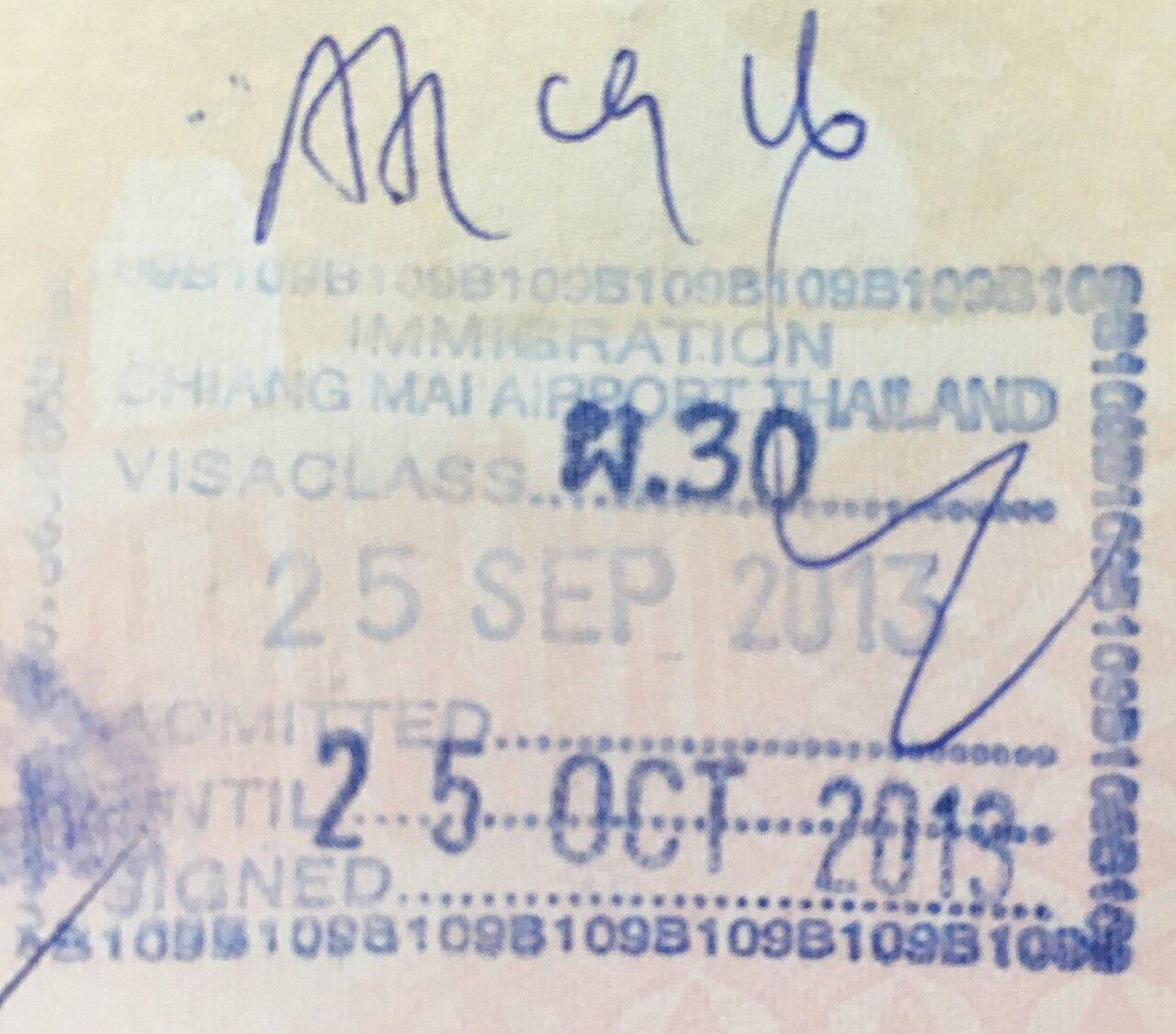
Photo: Slleong / Wikimedia Commons, CC0
Fixing a mistake
If something is wrong after you submit, the official FAQ gives two options:
- Use "Update Arrival Card" on the official site. You can change most details, such as flight number, dates and accommodation. You cannot change your full name, passport number, nationality or date of birth this way.
- Submit a new form with the correct details. The system treats the most recent submission as the valid one.
If your flight or hotel changes after you submit, update the form before you arrive.
Arriving at the airport
- Kiosks: If you could not submit online, kiosks and Wi-Fi are available on arrival at Suvarnabhumi, Don Mueang, Phuket, Chiang Mai and Hat Yai airports. Expect a queue at busy times, and take a photo of the QR code from the kiosk screen, since it does not print.
- No QR code email? Speak to an immigration officer at the checkpoint.
- Automated lanes: An update to the official system on 15 October 2026 added a step that records whether a traveller is eligible to use the automated passport control lanes, and shows the result in the confirmation email with a checkmark on the QR code. Eligibility rules are set by immigration, so follow the signs and staff instructions on arrival.
Submitting the form does not guarantee entry. The immigration officer still checks your passport, visa status and onward plans, and travellers who give incorrect information may be refused.
A note on scam sites
Several websites look like the official TDAC and charge fees from a few dollars to much more. Some promise "fast processing", which does not exist, since the official form is processed instantly and free. The official address is tdac.immigration.go.th. Thai embassies repeat the same warning: do not pay anyone for the TDAC.
Travel agencies and tour leaders may submit the form for their clients with permission, and some include it as part of a package. That is legitimate, but it is never a requirement.
Fitting it into your trip planning
A simple timeline for a Thailand trip:
- When you book: check your visa or visa exemption status with the Thai embassy or the official e-visa site.
- Three days before arrival: submit the TDAC for everyone in your group.
- Before you fly: save the QR codes offline and screenshot them.
- On arrival: have your passport, QR code and hotel address ready at immigration.
The international travel checklist covers the other steps before an overseas trip. In RoamerPlanner you can add a reminder three days before your flight and keep the TDAC PDF with the trip's bookings. For first-time visitors to Bangkok, the 3 days in Bangkok itinerary is a good place to start, and the 3 days in Chiang Mai itinerary covers the north.
Quick FAQ
Is the TDAC free? Yes. The official site charges nothing.
How early can I submit it? Up to three days before arrival, including the arrival day.
Do children need a TDAC? Yes. Every traveller, including infants, needs one.
Do I need it for a transit at Bangkok? Not if you stay airside. If you pass through immigration, you need one.
Can I submit for my family? Yes. Up to 10 travellers per submission.
Sources: Thailand Immigration Bureau TDAC site and official FAQ (tdac.immigration.go.th), including the version notes of 15 October 2026. Checked 27 October 2026.
Cover photo: Exec8 / Wikimedia Commons, CC BY-SA 4.0
Trips you can copy
Ready-made day-by-day plans for this place. Copy one for free and change it to fit your trip.
Turn this into a plan
Ready to turn this into a real itinerary? Plan it in RoamerPlanner.
Start your own plan, no account neededBrowse sample trips